Cockpit
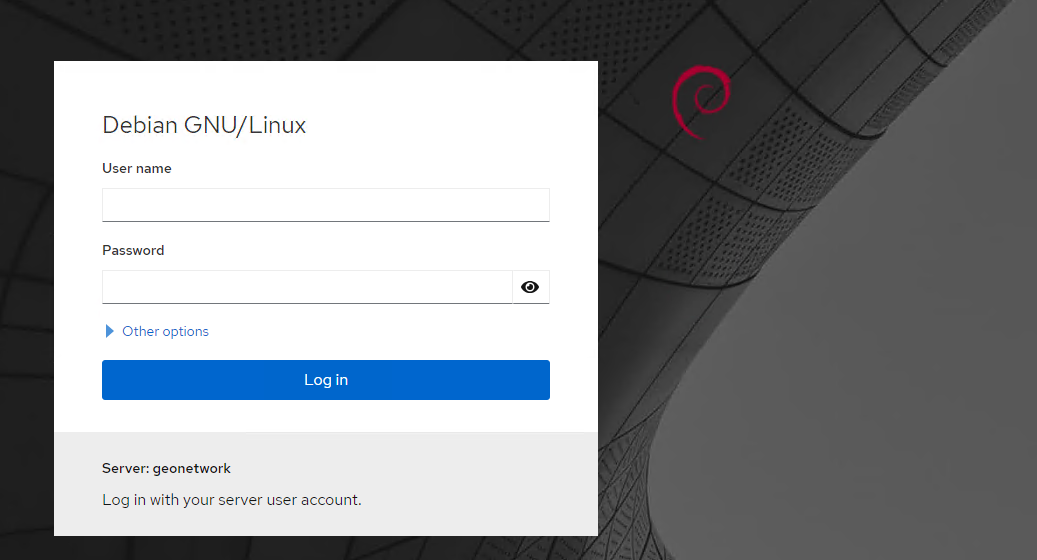
Cockpit Project — Cockpit Project (cockpit-project.org)
Running Cockpit — Cockpit Project (cockpit-project.org)
https://www.server-world.info/en/note?os=Ubuntu_22.04&p=cockpit
Cockpit es una herramienta de administración gráfica para servidores Linux, accesible a través de un navegador web. Su objetivo es facilitar la gestión de sistemas, especialmente para administradores que prefieren no hacerlo todo por línea de comandos.
🔧 Utilidad
Una vez instalado y accediendo por navegador (normalmente en https://<IP_del_servidor>:9090), puedes:
- 📊 Ver el uso de CPU, memoria, red, etc.
- 🧰 Administrar servicios (systemd)
- 💽 Gestionar discos, particiones y sistemas de archivos
- 👥 Administrar usuarios y grupos
- 🔐 Configurar redes y cortafuegos
- 📦 Actualizar paquetes
- 🐳 Integrarse con Docker y máquinas virtuales (con plugins)
🖥️ Interfaz
- Web UI moderna y sencilla.
- Pensada para admins, pero también muy útil en entornos domésticos o educativos.
- Permite gestionar múltiples servidores (si les das acceso SSH).
✅ Caracteristicas
- No reemplaza la terminal, la complementa.
- Perfecto para ver gráficamente logs, rendimiento o montar sistemas de almacenamiento.
- Ideal si no tienes monitor conectado al servidor o estás administrando remotamente.
📦 Instalación
Luego accede vía navegador:
➡️ https://<IP-del-servidor>:9090
Root login is now by default disabled by
/etc/cockpit/disallowed-users, so if you want to allow root login you will need to remove therootentry from that file.
Plugins
Administración de almacenamiento
Podman
Soporte para Máquinas Virtuales (KVM)
cockpit-machines. Además, necesitas instalar los componentes principales de KVM y la herramienta virt-manager (a nivel de servicio backend). Instala el módulo y el hipervisor ejecutando:sudo apt install -y cockpit-machines qemu-system-x86 libvirt-daemon-system libvirt-clients bridge-utils
sudo usermod -aG libvirt ict
sudo usermod -aG kvm ict
sudo systemctl enable --now libvirtd
sudo systemctl restart cockpit
Instalar Cockpit File Sharing App
Next, we must install a third-party file-sharing application. Back at the terminal window of your hosting machine, add the 45Drives repo with:
You can then install the application with:
Software update
Error message about being offline
The software update page shows “packagekit cannot refresh cache whilst offline” on a Debian or Ubuntu system.
Solución
Crear el archivo de configuración de NetworkManager y añadir una interfaz “dummy” para que PackageKit deje de considerarlo offline
sudo mkdir -p /etc/NetworkManager/conf.d

sudo tee /etc/NetworkManager/conf.d/10-globally-managed-devices.conf >/dev/null <<'EOF'
[keyfile]
unmanaged-devices=none
EOF
Luego crea la interfaz dummy